2026
One connected workspace

One desktop across every machine

Sync files and use one keyboard, mouse, and clipboard across your computers—privately, over your local network.
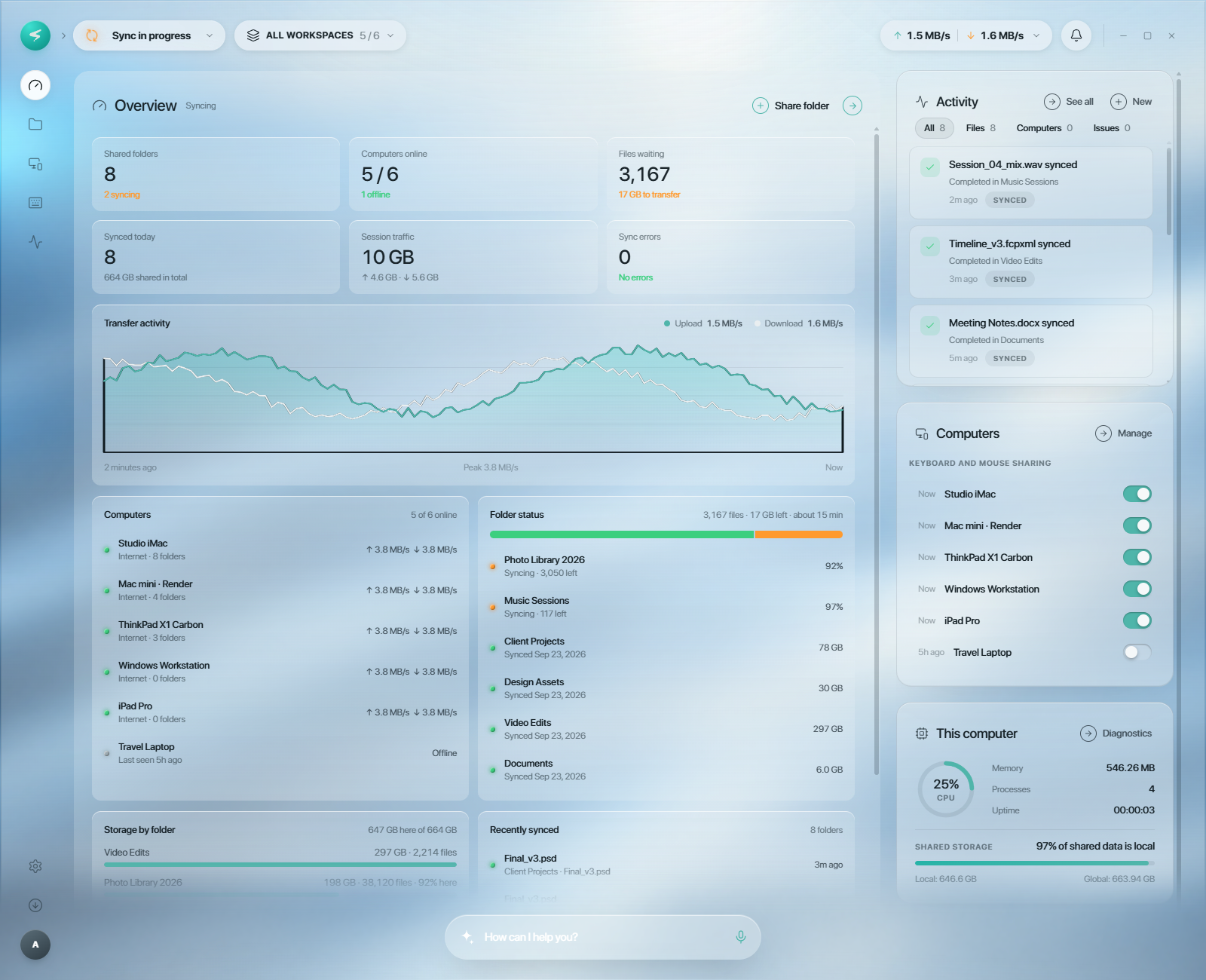
Sysvia dashboard

Everything you need across devices

Sysvia combines continuous peer-to-peer sync with seamless multi-computer control in one desktop app.

Continuous file sync

Keep shared folders current across your machines without a third-party cloud server.

Software KVM

Move your cursor across screen edges and use one keyboard and mouse everywhere.

Universal clipboard

Copy text, links, or files on one computer and paste them on another.

One unified interface

Manage file sync and input sharing from one modern desktop shell.

LAN-first privacy

Devices discover each other on your local network and traffic is TLS-encrypted.

Cross-platform control

Bring macOS, Windows, and Linux computers into one continuous workspace.

Built for multi-machine workflows

A simpler way to work across a laptop, desktop, home server, or local test fleet.
For developers
Code on your desktop, test on your laptop, with one keyboard and mouse for both.
Seamless control
No physical KVM switch required
For home-lab tinkerers
Keep files in sync across your server, desktop, and laptop without setting up a NAS.
Your private cloud
Peer-to-peer, local-network transfers
For remote workers
Copy on one machine, paste on another. No more emailing yourself links or files.
Frictionless handoffs
One shared clipboard across devices
Tried Sysvia? Share your experience — you may be featured here.

One local network. Every device in reach.

Install Sysvia on each machine, approve the required OS permissions, and connect them on your LAN.
See compatibility
See compatibility

One workspace. Every device.

Sysvia makes your laptop and every other device behave like one machine, so you can code, edit files, and get work done wherever you sit.

For developers

Write code on your laptop, build on your desktop, test on another device. Same files, same keyboard, no context switching.

For creators

Open and edit projects, assets, and reference files from any device as if they were on the one in front of you.

For teams

Share local files and control shared workstations, with all traffic staying inside your network.

Transparent Pricing

One purchase, everything included. No subscription, ever.
Personal
For hobby and non-work use, on up to 5 devices you own.
$19.99
one-time
Buy Personal
Buy Personal
Everything included:
Software KVM: one keyboard and mouse
Universal clipboard across devices
Encrypted peer-to-peer file sync
Up to 5 connected devices
Lifetime updates
Commercial
For developers, freelancers, and anyone using Sysvia for work.
$39.99
one-time
per person
Buy Commercial
Buy Commercial
Personal, plus:
Licensed for commercial use
Invoice and receipt for expensing
Every feature, nothing gated
Unlimited devices per person
Lifetime updates
Team pack
Commercial licenses under one key, for teams and companies.
Let's talk
5+ licenses
Contact us
Contact us
Team pack includes:
Commercial licenses, one key
Custom pricing for your team
Consolidated invoice
Volume discounts for larger teams
Lifetime updates

Frequently Asked Questions

Everything you need to know before you connect your first two machines.

What does Sysvia do?

Sysvia turns the computers on your desk into one workspace. Move your mouse past the edge of a screen to control your other machine with the same keyboard and mouse, copy on one device and paste on another, and keep your project files in sync across all of them, all from a single app.

Do I need technical skills to use Sysvia?

No. Install Sysvia on each machine, approve the connection once, and you're done. There's no terminal, no config files and no server to run. If you can drag a window to another monitor, you can use Sysvia.

How do the computers connect?

Sysvia finds your other devices automatically over your local network and connects them directly, peer to peer. You approve each device once, and after that they reconnect on their own whenever they're on the same network. No account or cloud server sits in the middle.

Is my traffic secure?

Yes. All traffic between your devices is TLS-encrypted and bound to each device's unique fingerprint, so only machines you've approved can connect. Your files, keystrokes and clipboard never pass through a third-party server.

Which platforms are supported?

macOS, Windows and Linux, in any combination. Use a Windows workstation for heavy builds alongside a MacBook for everything else, or pair a Linux box with either. Every device runs the same app with the same features.

Ready to unify your machines?

Turn your desk into one continuous workspace with Sysvia.
Get Sysvia
Get Sysvia
Sysvia dashboard