
Sysvia
$19.99one-time purchase · Personal
Up to 5 computers. Pro covers 15 for $39.99 once.
- Keyboard, mouse & clipboard
- Continuous folder sync
- Remote screens & extended monitors
- Direct connections & optional relay
Bring your keyboard, mouse, clipboard, folders and screens into one app. Sysvia connects your Windows, Mac and Linux computers, at your desk and across networks.
From $19.99 once. A licence is required to connect computers.
30-day money-back guarantee.
Your computers. One workspace.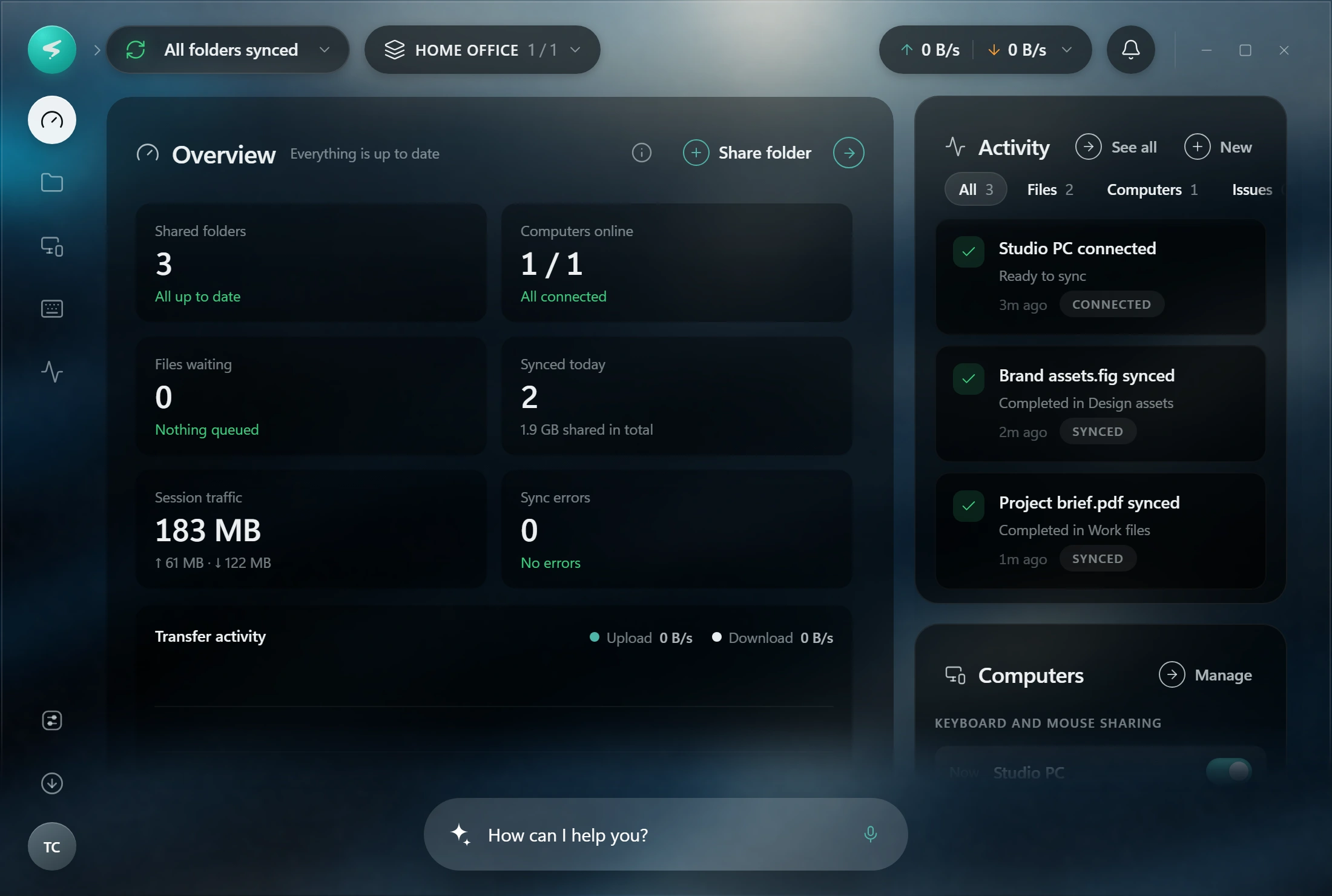
Barrier and Input Leap are free and open source. Sysvia adds folder sync, remote screens and a support team to the shared-input workflow.
$19.99one-time purchase · Personal
Up to 5 computers. Pro covers 15 for $39.99 once.
FreeCommunity project
A focused tool for sharing your keyboard, mouse and clipboard.
FreeCommunity project
The shared-input approach, with Wayland support and its own release history.
Project status matters: Barrier’s release page says it is no longer maintained. Input Leap’s repository was archived by its owner on 26 July 2026 and is read-only. See the dated sources.
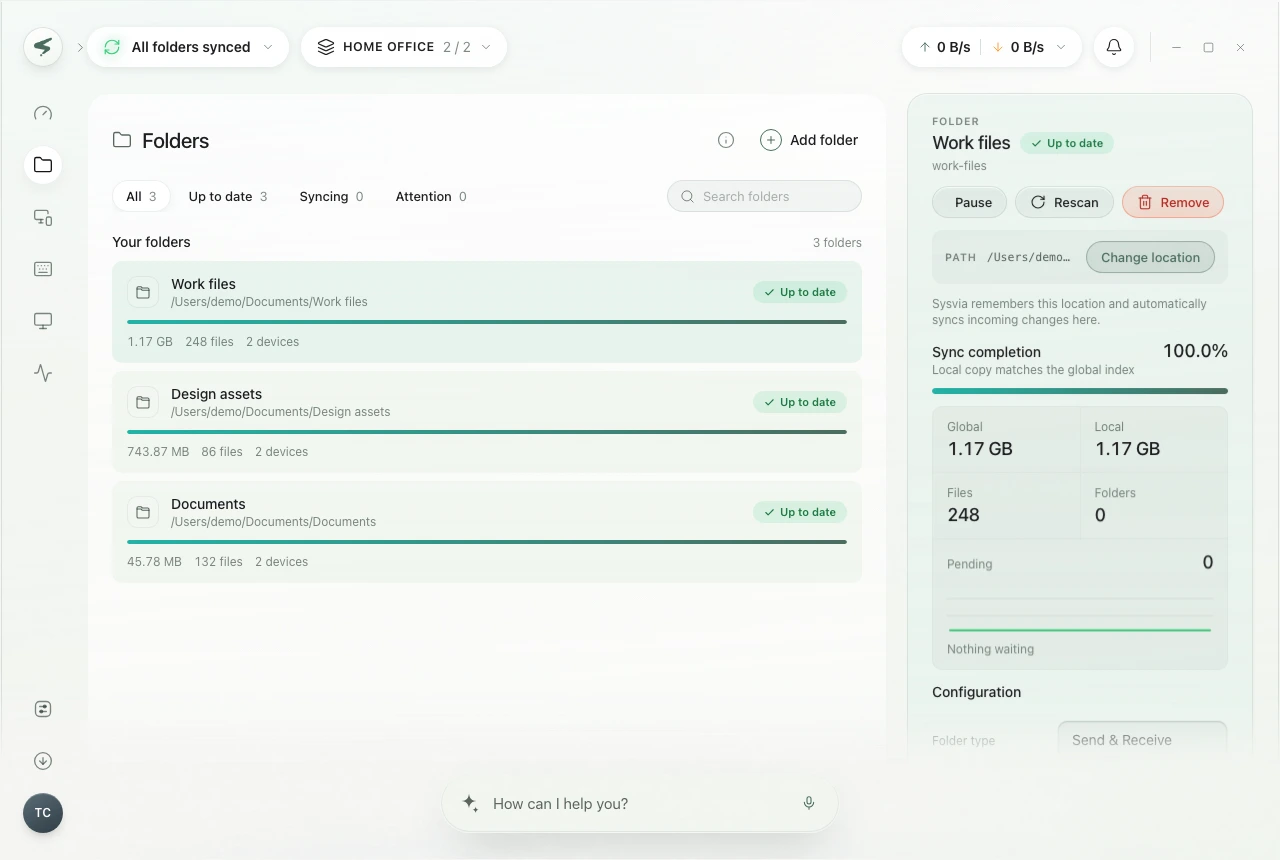
Start with a shared keyboard and mouse. Keep a project folder in sync, reach another computer’s screen, or connect home and office. Sysvia keeps those controls in one place.
Sysvia is a paid product with a team behind it. You can contact the Sysvia team with questions about your setup and check for updates inside the desktop app.
Keep whole folders in sync directly between computers, view and control a remote computer with permission, or use its displays as extended monitors, all in the same app.
Sysvia connects directly when possible, with an optional encrypted relay when you need it. Traffic between your computers is always encrypted.
Each project gets its own column. Compare the features you need and the platform you use.
On smaller screens, scroll horizontally to see all three products.
| What matters | SysviaPersonal & Pro | BarrierOpen-source KVM | Input LeapOpen-source KVM |
|---|---|---|---|
| Price | Personal: $19.99 once Pro: $39.99 once | Free, open source | Free, open source |
| Computers | 5 with Personal 15 with Pro | No limit stated | No limit stated |
| Platforms | Windows, macOS, Linux | Windows, macOS, Linux, BSD | Windows, macOS, Linux, BSDmacOS 10.15+ per release notes |
| Keyboard & mouse | Shared input with a visual desk layout | Shared input with a screen layout | Shared input with a screen layout |
| Clipboard | Text, links and images | Clipboard sharing supported | Clipboard sharing; unavailable on Linux/Wayland |
| Folder sync | Continuous, one-way or two-way | Not listed | Not listed |
| Remote screens | View and control with permission | Not listed | Not listed |
| Extended monitors | Use another computer’s displays | Not listed | Not listed |
| Across networks | Direct connections, plus an optional encrypted relay | No built-in relay listed | No built-in relay listed |
| Linux / Wayland | Native Wayland input still in development | Native Wayland support not documented | Added in v3.0.0; desktop and build requirements apply |
| Project status | Actively developed, with direct support | Release page says no longer maintained | Repository archived, read-only |
| Refund | 30-day money-back guarantee | No purchase required | No purchase required |
Barrier and Input Leap details were checked on 23 November 2026 against the Barrier repository, Barrier releases, Input Leap repository and Input Leap releases. Barrier’s latest listed release is v2.4.0 (1 November 2021); Input Leap’s is v3.0.3 (13 June 2025). Release notes take precedence where the README differs.
Sysvia prices and limits follow the pricing page. Each new Sysvia licence includes 5 GB of relay credit, given once (licences bought before November 27, 2026 keep a monthly allowance), and direct traffic is unlimited. Licences are per person. The download page shows the current public installers.
“Not listed” means we could not find it in the linked project documentation. It does not establish that a feature is impossible. Projects and builds can change after the date checked.
Sysvia is independent and is not affiliated with or endorsed by the Barrier or Input Leap projects.
Maintenance, price and what to expect when you get started.
Ask us a questionBarrier’s latest GitHub release is v2.4.0, from 1 November 2021. Its release page says the project is no longer maintained. The project links in the comparison notes let you check its current state.
Its GitHub page says the repository was archived by its owner on 26 July 2026 and is now read-only. Its latest release there is v3.0.3, from 13 June 2025. We did not find a page saying where, if anywhere, development continues, so check the project before you rely on it.
Input Leap describes itself as a fork of Barrier by Barrier’s active maintainers. Barrier in turn was forked from the Synergy 1.9 codebase. Both describe themselves as software that mimics a KVM switch.
Yes. Both projects are available as free, open-source software. Sysvia is a paid product: $19.99 once for 5 computers (Personal) or $39.99 once for 15 (Pro). If a free tool covers your setup, it may be all you need.
Sysvia supports Linux, but input sharing depends on your desktop session, and native Wayland input support is still in development. Input Leap v3.0.0 added Wayland support with caveats. If you use Wayland, send us your distribution and desktop details before you buy so we can confirm your setup.
The installer is free to download, but a licence is required to connect your computers. Every licence has a 30-day money-back guarantee, so you can try Sysvia on your own desk and ask for a refund if it is not right for you.
We checked the public GitHub pages on 23 November 2026. Open-source projects change, so some details may have moved on. If you spot something out of date, tell us and we will correct it.
From $19.99 once for 5 computers. Every core feature included, with a 30-day money-back guarantee.