
Your whole desk.
Not just
your Windows PCs.
Keep the move-your-mouse-to-the-next-computer flow. Add your Mac and Linux computers, folders that stay in sync, remote screens and extended monitors. Sysvia works across networks, too.
Pay once Every core feature 30-day money-back guarantee
Your Mac and Linux computers.
Your folders. Your screens.
Mouse Without Borders is part of Microsoft PowerToys for Windows. It shares a keyboard, mouse and clipboard between Windows PCs on one network. Sysvia covers the same ground, then reaches past it.
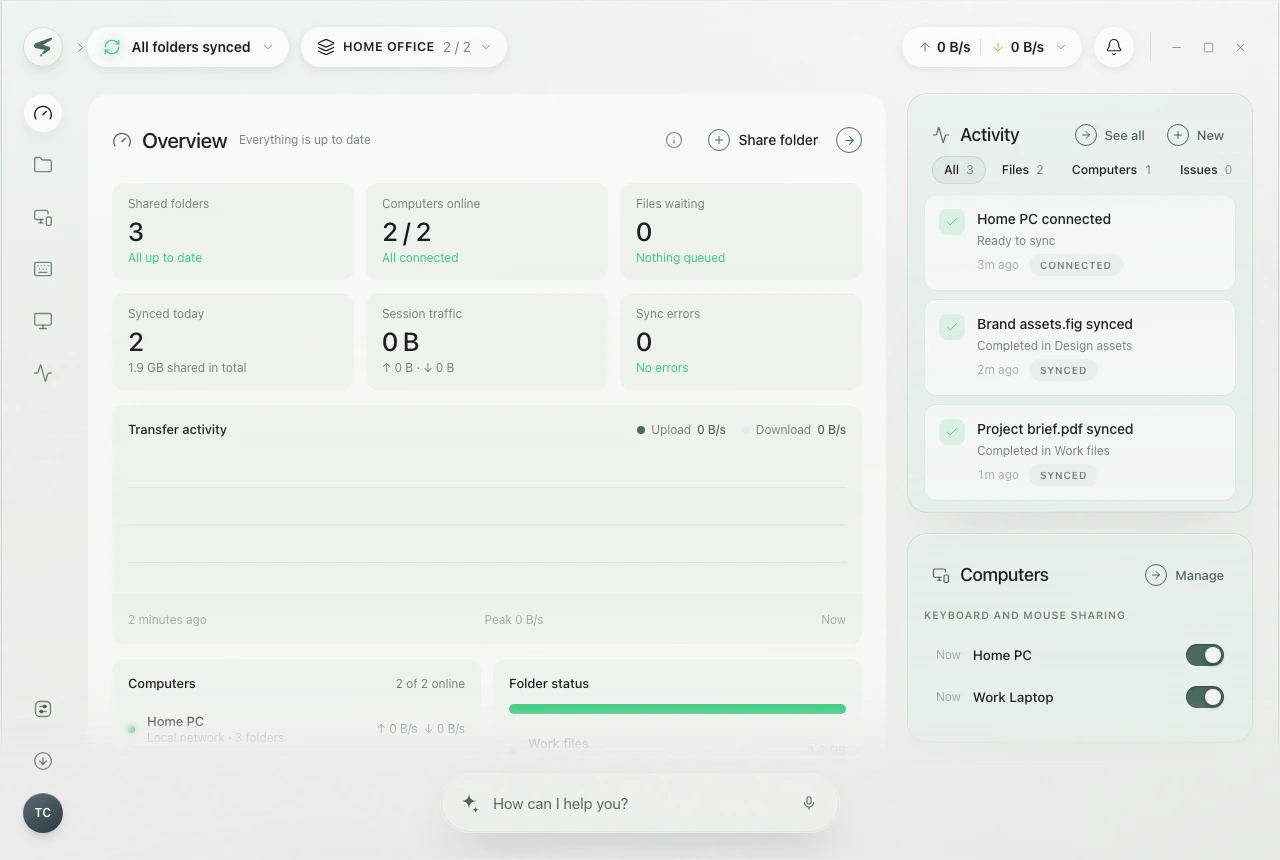
Windows, macOS and Linux.
Put a Mac or a Linux computer on the same desk as your Windows PC and move between them with one keyboard and mouse.
Whole folders, kept in step.
Keep folders in sync directly between computers, one-way or two-way. No zipping them first, and no one-file-at-a-time copies.
Home and office. Still connected.
Connect directly when possible, with an optional encrypted relay when you need it. View and control a remote computer with permission, or use its displays as extended monitors.
See what comes with each.
The published features, side by side. Mouse Without Borders is free, so price is only part of the picture.
| Feature | SysviaEvery core feature, every plan | Mouse Without BordersPart of Microsoft PowerToys |
|---|---|---|
| Price | $19.99 once for 5 computers (Personal) or $39.99 once for 15 (Pro). Licences are per person. | No price listed. PowerToys is published on GitHub under the MIT licence. |
| Number of computers | Up to 5 (Personal) or 15 (Pro) | “Control up to four computers” |
| Platforms | Windows, macOS and Linux | Windows 11, or Windows 10 version 2004 or newer, on x64 or ARM64. No macOS or Linux version is listed. |
| Keyboard and mouse sharing | Yes, with a visual desk layout | Yes, with a device layout you arrange by dragging |
| Clipboard | Text, links and images | A “Share clipboard” setting is listed |
| Files | Continuous folder sync, one-way or two-way, directly between computers | Copy and paste or drag and drop of a single file, up to 100 MB. Folders and multiple files are not supported (“zip them first”). |
| Remote screen access | View and control with permission | Not listed on Microsoft’s page |
| Extended monitors | Use another computer’s displays as extra space | Not listed on Microsoft’s page |
| Connecting across networks | Direct connections, plus an optional encrypted relay | Microsoft’s troubleshooting says to “make sure all machines are connected on the same network” |
| Refund | 30-day money-back guarantee | Not applicable, no purchase |
On a smaller screen? Scroll the table sideways to compare both products.
Sysvia details come from the pricing and Why Sysvia pages. Mouse Without Borders details come from Microsoft’s Mouse Without Borders documentation (page dated 8 June 2026), the PowerToys install guide (dated 11 November 2026) and the PowerToys repository. “Not listed” means we could not find it on those pages, not that Mouse Without Borders cannot do it. Each new Sysvia licence includes 5 GB of relay credit, given once (licences bought before November 27, 2026 keep a monthly allowance), and direct traffic is unlimited. Mouse Without Borders and PowerToys are trademarks of Microsoft. Sysvia is independent and is not affiliated with or endorsed by Microsoft.
Your setup makes the difference.
Mouse Without Borders may suit you if…
- Every computer you share is a Windows PC on the same network, and four computers is enough.
- You only need a keyboard, mouse, clipboard and the occasional single file.
- You want something that costs nothing and is already part of PowerToys, which you may have installed.
Sysvia may suit you if…
- You have a Mac or a Linux computer on your desk, or want to add one.
- You want whole folders kept in sync, remote screen access or extended monitors in the same app.
- Your computers are on different networks, such as home and office, or you need more than four of them. $19.99 covers 5 computers and $39.99 covers 15.
Bring your computers
into one workspace.
- Install on your computers.Download Sysvia for Windows, macOS or Linux.
- Sign in to your account.Use the same account on each computer, with an active licence.
- Set up your desk.Arrange your computers and choose what to share. Follow the setup guide or the Windows, Mac and Linux guide.
Before you switch.
Price, compatibility and what to expect when you get started.
Ask us a questionIs Mouse Without Borders free?
Mouse Without Borders is part of Microsoft PowerToys, which is published on GitHub under the MIT licence, and we found no price listed. Sysvia is a paid product: $19.99 once for 5 computers (Personal) or $39.99 once for 15 (Pro). If a free tool covers your Windows-only setup, it may be all you need. Sysvia is for desks that go beyond that.
Does Mouse Without Borders work on Mac or Linux?
We found no macOS or Linux version. PowerToys lists Windows 11 and Windows 10 (version 2004 or newer) as its requirements. Sysvia supports Windows, macOS and Linux, so a Mac or a Linux computer can share the desk with your Windows PC.
Does Sysvia work across different networks?
Yes. Sysvia connects computers directly when it can, and can use an optional encrypted relay when a direct connection is not available. The relay carries traffic it cannot read or alter. A new licence includes 5 GB of relay credit, given once, and paid relay plans aren’t available yet. Direct traffic is unlimited. How the relay works. Microsoft’s Mouse Without Borders troubleshooting says all machines should be connected on the same network.
Can Sysvia move folders, not just single files?
Yes. Sysvia keeps whole folders in sync directly between computers, one-way or two-way, as you choose for each folder. Mouse Without Borders documents transfers of a single file up to 100 MB, and suggests zipping folders or multiple files first.
Do I need a licence to try Sysvia?
The installer is free to download, but a licence is required to connect your computers. Every licence has a 30-day money-back guarantee, so you can try Sysvia on your own desk and ask for a refund if it is not right for you.
How current is this comparison?
We checked Microsoft’s public documentation on 22 November 2026. PowerToys releases new versions often, so some details may have changed. If you spot something out of date, tell us and we will correct it.
Give your desk more possibilities.
From $19.99 once for 5 computers. Every core feature included, with a 30-day money-back guarantee.